
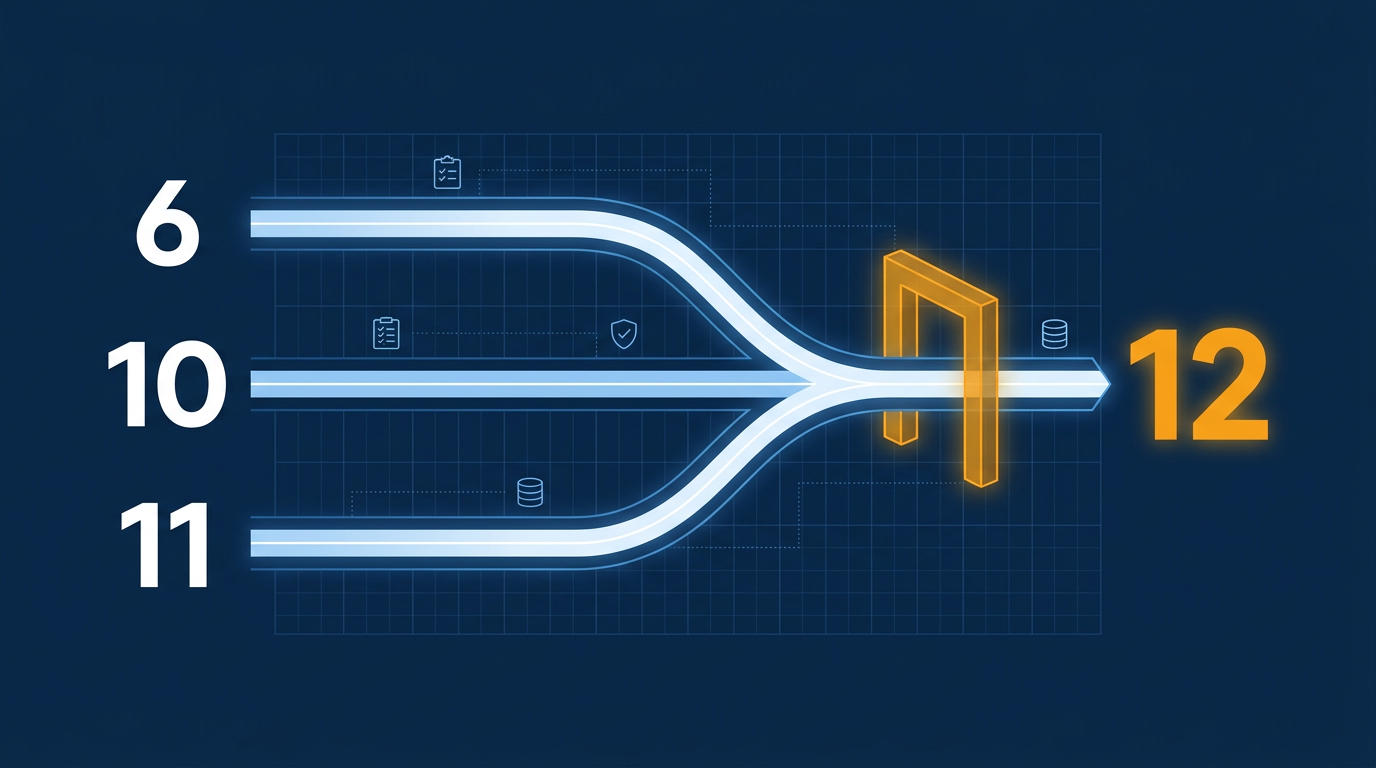
Moving a production Clarion application to Clarion 12 is usually a recompile project, not a rewrite. But the size of that project depends on three things: the version you start from, the third-party templates and libraries in the build, and how much hand-written code sits in your embeds. This guide covers the move from Clarion 6, from Clarion 10 and from Clarion 11 separately, followed by the steps they all share: inventory, backups, isolated builds, data, testing, deployment and rollback. The sections below include source links and practical checks for each starting version.
What Clarion 12 changes
- SoftVelocity announced Clarion 12 as an official release that is "100% backward compatible," with existing projects expected to compile, a refactored
STRINGtype, compiler performance work, groundwork for 64-bit binaries, and a Check for Updates feature. It states that Clarion 12 currently produces 32-bit binaries. - After the first release, SoftVelocity shipped maintenance build 13999 and then build 14000. Build 14000 fixes a template parser regression introduced in 13999 that could cause missing or incorrect generated code. If you are installing today, take 14000 or later, never the original 12.0 build. Confirm the newest shipping build with Check for Updates.
- Build 13999 fixed a bug in the original release that could open double connections for every open SQL table on Microsoft SQL Server, fixed an ignored
ORDER BYinPROP:SQLin some cases, and increased thePos,HoldandCurrent:Positionbuffers inABFILE.CLWfromSTRING(1024)toSTRING(2048). - SoftVelocity announced a separate Clarion 12 beta that reintroduces
USTRINGto handle both ANSI and Unicode strings, with a side-by-side installation in its own folder. Check the vendor's current release notes for the production status of this specific feature before relying on it. - Developers who moved existing apps in 2025 described Clarion 12 as functionally close to Clarion 11.1 for day-to-day work, with the early SQL Server problems above as the main complaint. Some users also said the subscription renewal, not new features, was the price of the upgrade. Confirm entitlement and cost with SoftVelocity before you schedule work.
The practical reading: "backward compatible" describes the language and runtime. It does not cover your third-party add-ons, your hand-modified class copies, your database drivers or your deployment. Those are where migrations succeed or stall.
Before any move: the shared preparation
1. Freeze and inventory
List everything the build needs, not just the .APP file. Check each item against the version you are moving to.
| Item | What to record | Question to answer |
|---|---|---|
| .APP and .DCT files | Every application and dictionary, including multi-DLL solutions | Do the source files match the running EXE and DLLs? |
| Hand-coded .CLW and .INC files | Location, last change, which apps use them | Do any copy or override stock ABC or runtime classes? |
| Template registry | Every registered template set and its folder | Which are SoftVelocity's and which are third-party or in-house? |
| Third-party products | Name, version, whether you have source or only vendor-supplied DLLs and LIBs | Which product build does the vendor support for your current Clarion version, and which for Clarion 12? |
| Drivers | TopSpeed, ODBC, MSSQL, others and their driver strings | What data does each app open, and where? |
| Redirection files and project settings | Paths, conditional compilation symbols, library settings | Which build settings does each project depend on? |
| Runtime files shipped with the app | Every DLL, OCX and resource in the install folder | Which were built with the old compiler? |
| Reports, printers, exports | Report outputs, PDF libraries, Excel or email links | Which outputs does the business check by eye? |
Developers on ClarionHub point out that the IDE's Add-in manager does not show whether you use third-party templates or libraries. Check the template registry and the generated source instead. They also warn that closed-source DLLs and LIBs built for an old version may not work with the newest one, and that finding out your vendor has disappeared changes the whole plan. Do this check before you quote or commit to a date.
Sort the components into two groups. Anything you hold in source (your own classes, templates and libraries, and third-party products that ship with source) should be rebuilt with the Clarion 12 compiler instead of reusing compiled output. Vendor-supplied binary libraries (DLLs, LIBs, OBJs and OCX controls) were compiled by someone else and cannot be rebuilt by you. For those, get the vendor's confirmation of which product build supports Clarion 12, which supports your current version, and whether one build covers both.
2. Back up so you can actually go back
- Copy the complete old environment: the Clarion install folder, the registered templates folders, third-party libraries and classes, the redirection file, the source tree and the data. Store a copy off the build machine.
- Put source under version control before the first conversion, including .APP and .DCT files, and export the apps and dictionary to text from the old IDE as a second, readable record.
- Never open your only copy of an .APP or .DCT in the new IDE. Opening an old file can prompt an upgrade, and you should assume an upgraded file will not open in the old IDE again.
- Take data backups that are consistent with the application, and prove them by restoring on another machine. For TopSpeed files, coordinate the copy with the application: close the programs that hold the files open, or use a snapshot or backup tool that is application-consistent, then open the copy and compare record counts and key results. For SQL databases, use the database's own backup tools (full backups, plus differential or transaction log backups if your recovery plan needs them), which normally run while users stay connected, and restore to a test server to confirm the result. Record the time of every backup so data can be reconciled later.
3. Build an isolated migration environment
- Use a virtual machine or spare PC with the old Clarion version and the new one installed side by side, each in its own folder. SoftVelocity's own beta instructions use the same side-by-side approach to keep a production install intact.
- Point the test builds at copies of the data, never the live files.
- Install third-party products that are compatible with Clarion 12 in this environment only. Leave the versions in your current production build environment untouched until the migration is accepted, so you can still build and patch the live application.
- Before you change anything, build the application in the old environment and record the result: it compiles, it runs, these reports print this output. That baseline is how you separate a migration defect from a problem you already had.
- One developer who moved a large ERP from Clarion 6.x to 10 kept two near-identical copies, one in the old version and one in the new, and compared them whenever the new build misbehaved.
4. Keep the migration and the improvements separate
Get it compiling, then get it correct, then improve it. Do not convert from the Legacy template chain to ABC, move from TopSpeed to SQL, or add Unicode in the same step as the compiler move. A practitioner write-up from Noyantis advises the same: upgrade the compiler first and treat a chain conversion as a separate decision. Each extra change makes a failure harder to trace.
Moving from Clarion 6 to Clarion 12
This is the largest jump, and the one with the most unknowns. Plan for it as a project with a pilot, not a weekend task.
What SoftVelocity documents
- SoftVelocity's Clarion 11 feature list documents the project system built on MSBuild, with Solutions that hold multiple projects, and a redirection file that tells the compiler where templates and includes live. Older Clarion 6 projects use the earlier TopSpeed project format, so each one is converted.
- The Clarion help includes topics named "Converting Applications from Clarion 6", "Resolving Application Conversion Issues" and "Converting Topspeed Project Files to MSBuild projects". A ClarionHub community leader pointed to them for a 6.3 to 10 migration. A forum user reported shortly after release that the Clarion 12 help file was identical to Clarion 11.1's, so look for these topics in your own install.
- Clarion 11 can build a project with any installed older version back to Clarion 4, using that version's compiler, templates and includes through the redirection file. That is useful for keeping a Clarion 6 baseline build available inside the new IDE. Check on your Clarion 12 install that the same option is available.
What developers report
- A developer who moved a 12-EXE system from 6.x to 10 described a loop: update the old environment and third-party templates first (that order only works if each product supports both versions, so confirm with each vendor first), register your own templates in the new version, import the dictionary and fix errors in the old copy until it imports cleanly, then export the apps to text, import them and repeat. He also found the stock template differences smaller than expected, and used DEBUG mode so compiler
ASSERTdirectives would show behavior differences. - Other developers say a straightforward app opens with an upgrade prompt, and that the dictionary upgrades with it. They also mention stricter handling in some string expressions, such as doubled
<<characters, that has to be fixed in code. Treat the prompt as a starting point, not proof the app is correct. - Another developer advises pruning add-ons you no longer use before you start, then replacing or upgrading the closed ones in the migration environment. That cuts the number of failure points.
Step by step
- Inventory every third-party product and verify vendor support for both versions. For each one, ask the vendor which build supports Clarion 6 (your production build today) and which supports Clarion 12. Keep the existing, working versions in your Clarion 6 environment intact, and install the Clarion 12-compatible versions only in the separate migration environment. Where a vendor has no Clarion 12 version, decide now whether to find source, replace the component or keep that app on the old version.
- Convert the dictionary alone on a copy. Read every import message. Fix and re-import until it is clean.
- Convert the smallest application in your solution first. Use it to learn the pattern of errors before you touch the large ones.
- Rebuild components from source wherever you have it: your own libraries, classes and templates, and third-party products supplied with source. Vendor-supplied binary libraries (LIBs, OBJs, DLLs) cannot be rebuilt by you, so use only the build the vendor confirms for Clarion 12 and test it in the pilot.
- Expect hand-coded embeds to need review. Search your embed code for undocumented API calls, direct Windows API prototypes, old ActiveX or OCX controls and any code that touches class internals.
- Compare behavior, not just compile results. Run the baseline scenarios side by side: same inputs, same data copy, compare screens, reports and files written.
- Convert the rest by dependency order: data DLLs first, then shared DLLs, then EXEs.
Decision point: If the pilot app shows widespread failures in your own code, or a key third-party product has no Clarion 12 path, stop and re-scope. A phased approach (stabilize in place, wrap with an integration, move piece by piece) keeps production running while you decide.
Moving from Clarion 10 to Clarion 12
Clarion 10 already uses the MSBuild project system and the modern IDE family, so the project-format conversion that Clarion 6 apps need is already done. Review your dependencies and build settings, then test against the Clarion 12 release notes.
What SoftVelocity documents
SoftVelocity's Clarion 11 feature list highlights areas worth checking against your application's current configuration. Some features may already be present in your Clarion 10 installation:
- A new compiler, described as building apps in at least half the time, with improved error detection and reporting. Expect new or reworded compiler messages.
- The compiler's scanner now follows OS settings for the characters allowed in identifiers (labels). If your code uses non-English letters, test it.
- New runtime and ABC additions: JSON classes,
SystemStringClass, web request support, email and SMS templates, a new heap management system and 64-bit number functions. If you have your own classes with similar purposes, check for name collisions and overlaps rather than assuming there are none. - Driver changes: Unicode support on the backend for the ODBC, SQLAnywhere, PSQL and MSSQL drivers, TopSpeed encryption support and a new SQLite driver.
- Template changes, including new browse and window resize options and ABC classes on Clarion-chain procedures. Regenerating code means these defaults may change generated behavior in screens you did not touch.
- Registration-free COM, which can simplify deploying programs that use OCX controls.
What developers report
- One developer reported an exception in a C10-to-C12 migration whenever a NetTalk web client was used. His investigation found that the generated CLW referenced a file name he could not trace to the stock product, and other developers in the thread suspected local changes to the files or templates. The lesson is general: when a third-party feature fails at run time while the app compiles, check generated file references and multi-DLL settings before suspecting Clarion 12.
- Another suggested checking the conditional compilation symbols in each project, because wrong defines can cause an immediate crash in an app that compiles.
- A third said that after the first import they close and reopen the app before updating embeds and compiling, which avoided an error they otherwise saw.
Step by step
- Install Clarion 12 in its own folder beside your Clarion 10 install. Do not uninstall the old version.
- Verify vendor support for each third-party product in both Clarion 10 and Clarion 12. Keep your Clarion 10 versions in place, install the Clarion 12-compatible versions only in the Clarion 12 environment, register the templates there and read the Output pad.
- Take a build baseline in Clarion 10, then convert a copy of the dictionary and one app.
- Compile with the old and the new build side by side and diff the results: compiler messages, generated modules, and test outputs.
- Review every solution project for conditional compilation symbols and library settings, especially in multi-DLL solutions.
- Run SQL-driver tests with your real driver strings. Compare record counts, sort order, null handling and error messages.
Decision point: If the 10-to-12 pilot compiles and the baseline comparison matches, scale up by batch. If a third-party product misbehaves, resolve it with the vendor before converting the next application.
Moving from Clarion 11 (11.1) to Clarion 12
This is the smallest version gap of the three, and the one where the vendor's compatibility claim applies most directly. It still deserves a pilot, because production behavior is what matters.
What SoftVelocity documents
- SoftVelocity states existing projects should compile, including those near the limits of the Clarion 11 compiler and runtime library.
- The build 13999 release notes list the fixes and changes above. Read them against your own code:
- If you copied or modified
ABFILE.CLWor derive from ABC file classes, compare your copy with the new buffer sizes. - If you use MSSQL, review the new
TrustCertandEncryptsettings. The notes say they now useTRUE/FALSEand that code usingYes/Nokeeps working. - If you use
PROP:SQLwithORDER BY, or hand-built views, retest those paths.
- If you copied or modified
- Check for Updates delivers builds and partial updates inside the IDE. Decide who controls updates on your build machine, so a developer does not move the whole team to a new build mid-project.
What developers report
- A developer recompiled a solution of 50 apps in Clarion 12 and described it working, apart from a repeating "Errors were found on reading templates" message that showed no errors in the Output pad. He used his own templates and no third-party ones.
- Early adopters of the original build reported slower or hanging browses on MSSQL. SoftVelocity's notes later describe the double-connection bug that fits that pattern, so run your own SQL Server browse tests on 14000 or later, not on the first build.
- IDE layouts did not persist for some users until they copied the layouts folder from the Clarion 11 data folder into the Clarion 12 one. This is a convenience fix, not a project risk.
- Developers working with smart card readers and mobile POS devices reported problems with some applications on Clarion 12 without a confirmed cause. If your app talks to hardware, put that on your test list.
Step by step
- Install the latest shipping build in a separate folder and run Check for Updates to confirm the build number.
- Confirm vendor support for Clarion 12, then register the Clarion 12-compatible template versions in the Clarion 12 install only, leaving your Clarion 11.1 environment as it is.
- Recompile one copy of each application with no code changes. Record warnings, new messages and file sizes.
- Run your baseline scenarios and compare. Pay extra attention to SQL access, printing, device communication and anything scheduled.
- Roll out to a pilot group of real users on real workflows before everyone moves.
Decision point: A clean 11.1 to 12 recompile with a matching test baseline is a good reason to move. If the app is stable, not changing, and you rely on a closed third-party component with no Clarion 12 release, staying on 11.1 is a legitimate choice while you plan.
Data: keep it a separate project
- Treat moving from TopSpeed files to SQL as its own project, apart from the compiler move. Null handling, key behavior, concurrency and transactions all change, and doing both at once makes a failure hard to diagnose.
- For TPS data, test on copies. Compare record counts, key results and a handful of known records between the old and new builds, before any user touches production data with a new build.
- In SoftVelocity's Unicode beta, the classic TopSpeed driver is described as untouched, with a new separate
TopSpeedWdriver for Unicode files. That applies to the beta, not to the shipping product. - Developers disagree on whether to use the IP driver as a step toward SQL. Some say it reduces network traffic for remote users and is easy to switch on or off; others say the work is thrown away when you move to SQL and you test twice. Pick one deliberately.
Testing that finds real problems
- Write down the scenarios that match how the business works: month-end, invoicing, imports, exports, a long report, a restart after a crash. Include the odd ones that only run once a quarter.
- Test with real-shaped data copied from production, including long text, accented characters, empty values and old records.
- Compare outputs: report totals, exported files, and records written, between the old and the new build.
- Test on the target operating systems and with your actual printers, display scaling and remote access method.
- Run a pilot with a small group of users on a fixed date range and keep a log of what they hit.
This is where business rules matter. A compile that succeeds proves the syntax is accepted. It does not prove that the discount, rounding or date rule your finance team relies on behaves the same. Map the rules that matter and test them by name.
Deployment and rollback
- Deploy each application with the runtime files from the version that built it. Do not mix runtime DLLs from two Clarion versions in one folder, and rebuild all projects in a multi-DLL solution together.
- Release in stages: pilot users, then a department, then everyone. Keep the previous EXEs, DLLs and runtime files in their own versioned folder, ready to redeploy. Renaming a folder swaps the program only; it does not undo anything the new build wrote to the data.
- Check data compatibility before the pilot. Confirm whether the old and new builds can both read and write the same data files or database tables, including any new fields, keys, driver settings or encryption options. If they cannot share data safely, run the pilot against a copy of the data, not production.
- Snapshot before each stage. Take a verified backup (see the backup section) immediately before each release stage, so you know the exact point to restore or reconcile from.
- Write the rollback trigger and the reconciliation plan in advance. Name the trigger, for example any wrong total on a finance report or any data file error in the first week, and name who makes the call. If you roll back after users have worked in the new build, choose between restoring the snapshot and re-entering or replaying the work done since, or keeping the data and reconciling it. Decide how you will identify records written by the new build (dates, user IDs, audit or log fields), and compare record counts, key totals and sample records before the old build goes live again. Rehearse the whole path on a copy before go-live.
- Scan the new EXEs and the Clarion install with your security software before release. One developer reported that antivirus software flagged the Clarion 12 installer during setup, so it is worth checking in your environment.
- Keep the old build machine, or a VM image of it, for as long as the old version might need an emergency fix.
Realistic decision points
| Situation | Sensible move |
|---|---|
| Source code missing or does not match the running program | Recover or reconstruct a buildable source set first. No migration is safe without it. |
| Key third-party add-on has no Clarion 12 release and no source | Replace it, wrap it, or keep that app on the old version until you do. Do not start the conversion blind. |
| Stable app on Clarion 11.1, no needed changes | Pilot a recompile when convenient. There is no rush, but stay current enough that your toolchain still runs on supported operating systems. |
| Mission-critical app on Clarion 6 with crashes or OS trouble | Stabilize in place first, then run the pilot in an isolated environment. |
You want to adopt USTRING | Check its current release status and test adoption as a separate project. Do not tie your migration date to a beta. |
| You want 64-bit | SoftVelocity states that Clarion 12 currently produces 32-bit binaries and lays groundwork for 64-bit. Check SoftVelocity's current announcements for 64-bit availability before you plan around it. |
Check these on your own install
- The newest shipping build. Check for Updates in the IDE shows the current build number beyond 14000.
- Whether Clarion 12 keeps Clarion 11's ability to build with older installed compiler versions.
- The Clarion 12 help topics on converting older applications, and how they differ from Clarion 11.1's.
- Your license terms. Entitlement to the Clarion 12 upgrade and its price are set by SoftVelocity.
- Whether an application or dictionary upgraded by Clarion 12 opens again in an older IDE. Assume it does not, and work on copies.
- SoftVelocity's current statements on 64-bit compilation and the
USTRINGbeta, including whether either has reached a production release.
Sources
SoftVelocity:
- Clarion 12 is Here: What's New in Clarion 12
- Clarion 12 release notes, builds 13999 and 14000
- Clarion 11 features and upgrade information
- Clarion 12 Beta: USTRING Returns (ANSI + Unicode)
- Clarion Unicode Tester Guide (beta documentation)
- SoftVelocity home page, Clarion 12 and 64-bit statement
Developer community discussions:
- ClarionHub: Migration from Clarion 6.3 to C10
- ClarionHub: Upgrading from older versions of Clarion
- ClarionHub: Exception on initial compile from C10 to C12
- ClarionHub: Clarion 12 problems and issues
- ClarionHub: Clarion 12 builds 13999 and 14000
- ClarionHub: Clarion 12 delivered, subscription discussion
Practitioner write-up:
Plan your Clarion 12 migration with us
Clarion Programming Help brings 30 years of Clarion development experience to this kind of work. We stabilize first, preserve your business rules, and modernize in phases, so the business keeps running while the toolchain moves forward. If your application is on Clarion 6, 10 or 11 and you want a second opinion on the risks, the third-party dependencies or the order of work, Contact Us and tell us what you run today.